

Hey friends,
From 2017 until around the start of Covid, I made my living helping early-stage SaaS companies set up their product analytics and reporting.
I’ve helped many startups “turn on the lights” to make better business decisions and in this post I’m going to help you do the same.
In this extensive guide I’m going to cover the following topics:
The 5 steps of the product analytics implementation plan.
The frameworks you need to understand to shape your product analytics strategy.
Best practices for building and maintaining a tracking plan.
How to scale your product analytics events, and tie it to your product development process.
Introduce you to PostHog, the king of product analytics.
How to setup and use PostHog.
The difference between client-side and backend events.
A list of the first events you need to start tracking.
A list of important product questions, and how to answer them.
By the time you’ve finished reading this guide you’ll know exactly how to gain visibility into your own SaaS product, the important questions you should be asking, and how to answer them.
You’ll know if you’re moving towards product-market fit, where users are getting “stuck”, and how many are experiencing your “wow” moment.
We have a lot to cover so let’s get started.
The 5 steps of the product analytics implementation plan
Before jump into the “meat and potatoes” of this post, I think it’s a good idea to have a high level understanding of what we want to achieve, and the plan to get us there.
Our primary goal is to set up the necessary tooling, infrastructure, frameworks and processes to allow the key decision makers to answer business critical product questions.
To do that we will follow the product analytics implementation plan shown in the image below.
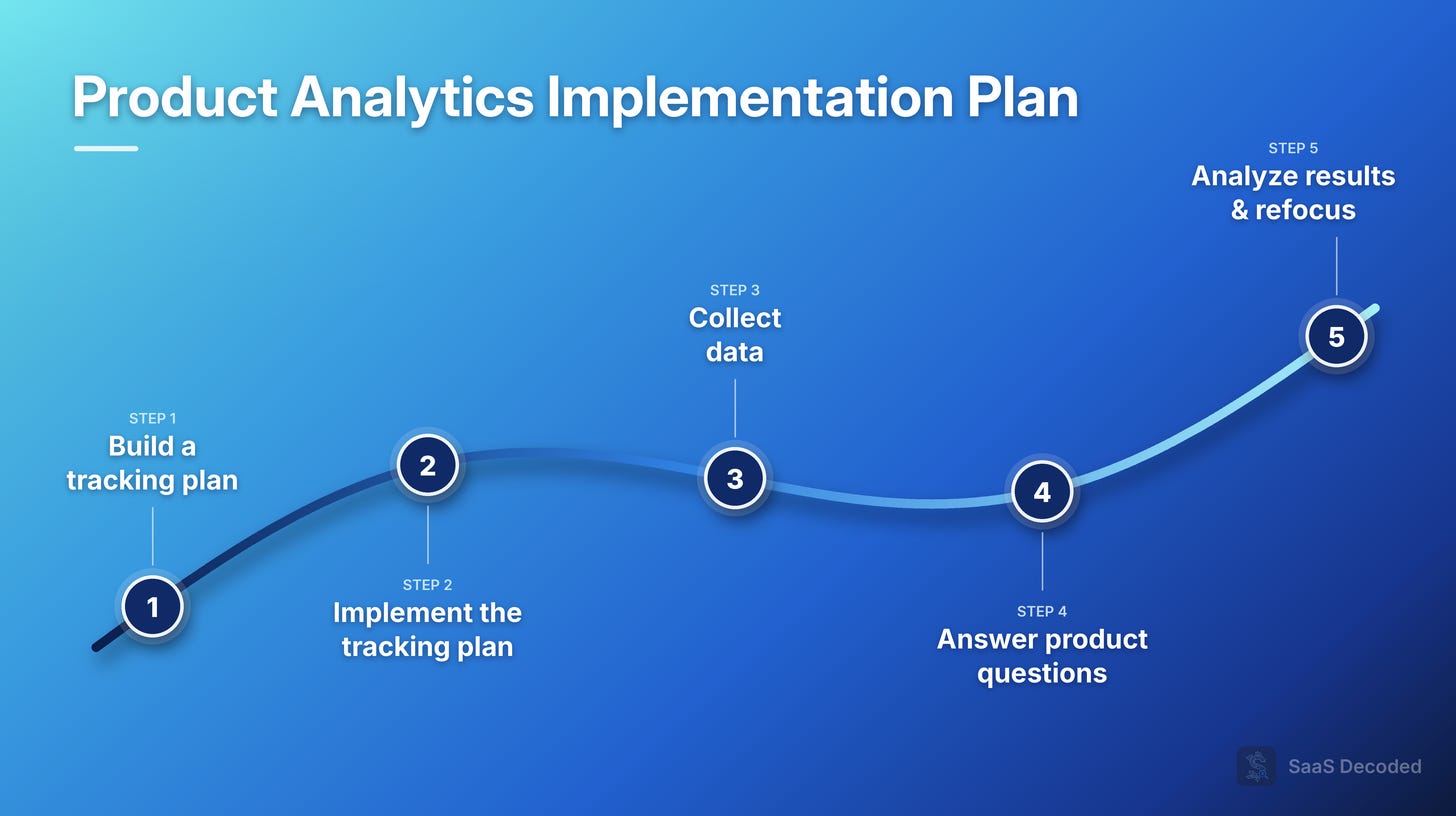
The plan has 5 main steps which will be covered in detail in this post.
Before we move onto step #1, building a tracking plan, I first want to cover 2 important frameworks.
2 important frameworks to help shape your product analytics strategy
While working as an analytics consultant, I developed two useful frameworks that are important to know before discussing the tracking plan.
Framework #1: The core funnel
If you’re a long-time reader of this substack then you should be familiar with the core funnel framework.
The 12 minute video below covers the framework in detail.
The main idea behind the core funnel is to map out the major steps in your users journey. Most SaaS typically have 3 - 6 major steps which make up the core funnel.
The reason it’s important to understand the core funnel is because it gives us a starting point for our event tracking plan, and forces us to stay focused on what matters. We first want to make sure we can track the core funnel before we focus on other areas.
A SaaS that doesn’t have visibility into how users progress through the core funnel are “flying blind”.
Framework #2: Include product analytics in your product development process
The second framework is to integrate product analytics in your product development process.
Product managers need to be trained on product analytics basics and include a section in their product requirement documents (PRDs) that cover product analytics. Some businesses hire product analysts who are responsible for covering this area instead of the product managers.
The kind of data I like to see included by product managers are:
A list of questions which the product analytics need to answer. For example, “how often is this feature used to users?”, and “can we track when this feature is enabled or disabled?”.
The actual events themselves so that the developer who builds the feature can make sure they are covered before the feature goes live in production.
In a few minutes of reading, you’ll have the knowledge you need to implement framework #2 in your startup. The main takeaway is that once you’ve decided to start adopting product analytics, it needs to become a part of your product development process.
We’re now ready to move onto the first step of the product analytics implementation plan, building a tracking plan.
Best practices for building and maintaining a tracking plan
A tracking plan is a company-wide resource to help everyone stay aligned on the events that R&D have, or will implement. It’s a “data dictionary” of sorts that help keep things organized.
A good tracking plan has an owner, usually the head of product, and is consistently maintained. A tracking plan has its own set of rules which should be written down in the internal knowledge base, and shared among the product and R&D team.
I recommend building your tracking plan as a table, either in Google Sheets, or an equivalent solution.
I created an example tracking plan which you can view here. Feel free to steal it: https://docs.google.com/spreadsheets/d/1JQ3WlxyCwYFeHi2TjS_aTizm_vSHkaQS8lnI2leM18A/edit?usp=sharing
I only filled out all the details of the first 4 events, but you have enough to get a good idea of what a tracking plan should look like.

Let’s go over the columns I’ve included in my version.
# - The “id” of the event in the document. It also acts as a counter so you can see how many events are in the document. Having a number for each event is also helpful for referencing events in the document (“check out event #4 in the tracking plan”).
Event name - Standard. Each event needs a name. This name is what will appear in PostHog.
Date Added - Just good to have. Helps see how the event list grows over time.
Added By - The individual who added the event to the plan. Helps involve the product managers, analysts, etc. Helps everyone understand ownership.
Status - You should have different statuses for each step in the funnel of taking an event from concept to live in production. This way it’s easy to see where the event is in the process. Use statuses which make sense to you based on your own process. In my example I have “Work In Progress”, “Ready for Dev”, “Ready for QA”, “Live” and “Canceled”.
Default properties - This column is optional but it does help having it to remove confusion for QA. PostHog has certain default properties which are out-of-the-box and can’t be manipulated. You can list those in the tracking plan so QA knows to ignore them.
Custom properties - This is by far the most complex field in the tracking plan. In this column you need to list all the properties you want to include in the event. Here are a few helpful guidelines to know for assigning properties:
Include ids - This helps analysts (and also agentic agents) run joins and connect events to each other, or other entities in your database.
It’s fine to include ids and their values as separate properties - Notice I included both “source_id” and “source” as properties for the Request Created event. Having both allows for quick understanding in the PostHog interface, as well as allowing for a join.
Reuse properties to keep the distinct list as small as possible - For example, don’t have two properties, “button_color” and “color”, just use “color”. Use common sense, and try and keep the names of properties “high level” so they cover a wide range of use cases. Use simple, descriptive words to avoid confusion.
When you need more than one property to distinguish between possible actions, use multiple properties, don’t create a unique property - Lets say you have multiple red buttons on a page and want to track which button exactly is being clicked. How would you do it? In such a situation I would have an event called “Element Clicked”, and 3 properties, type = Button, color = Red, and location = top right corner. Notice I have 2 descriptive properties to help me distinguish between the actions. I would map each button’s location clearly in the PRD when these events are created and create a button click event for each button.
Be consistent - This includes maintaining the naming convention rules, using the same relevant values across multiple events, etc.
Trigger - The trigger column is used to explain clearly the trigger logic for each event. Make sure it’s clear when the event should be triggered and cover nuances and rare situations so the developer creating the event can cover all scenarios.
Task URL / Story URL - Depending which product development tool you use (usually Linear or Jira, but sometimes Notion, Trello, or some other solution), you would have a url to a document, table entry or “story” related to the event. Whoever is working on the product update that is related to the event should include the url to the document in the tracking plan. This allows others to click through and see the full context behind the event. We only need to include the link to the document or story for the first time the event is created.
Notes - A general field for notes by the person who added it, or the head of product. It could be used for starting a comment thread where a discussion on the event might be needed. This field is very much optional.
Now that you’ve got the outline of your tracking plan ready, which events should you add first?
A list of the first events you need to start tracking
Each SaaS will have it’s own initial set of events so I can’t give you an exact list of events to add to your plan. What I can do is give you some guidelines to help you come up with your initial list.
Limit your initial list to no more than 10 events, and focus on the core funnel
As the headline above says, start with no more than 10 events.
That usually involves 3 - 6 core funnel related events, and a few others related to primary usage / value exchange.
For my SaaS, Project Echo, a user starts his journey by signing up, going through a short onboarding process and then landing on the request page.
During the onboarding the user picks a few requests to help seed his workspace but the real “wow” moment is when one of his users submits a request.
To help map out this process using events, I need the following events:
User Created - The first step. It’s triggered when a user either signs up using email, or their Google account. Since one user can have multiple workspaces, I need an event that specifically indicates a new user signed up.
Onboarding Completed - Triggered once a user has completed the onboarding process. At this stage the user is ready to see value from the SaaS.
Member Created - A member is an end-user of a Project Echo user. A member is either created manually, or automatically if the user integrates their SaaS with Project Echo. A member needs to be created before that individual can submit a request (the “wow” moment), so we need to track this event.
Request Created - The first real value exchange is when a user creates a request in their workspace. This can be done manually by the user, via an agent they have connected to their workspace, or via a script leveraging the API. Either way, when a user creates a request its a good sign and we want to track it. This event is also triggered when a member creates a request (the “wow” moment). We would use specific properties such as created_by_id, to distinguish if this request was created by a user, or a member.
So in total I just need 4 events to map out the most important part of Project Echo’s core funnel. I could add a few more such as “Subscription Started”, or “Invitation Sent” (for when a user invites their team to their workspace), but at the end of the day I need to first nail the value exchange part of the funnel before I focus on anything else.
Include events which help you understand usage patterns
I recommend including events which tie to direct, primary usage of your SaaS. In my case it’s Request Created but in your case you might have multiple features you expect users to use repeatedly.
The reason it’s good to have events for each feature use is because it can help you identify usage patterns that could change your product roadmap.
You might expect users to do A but you see in the data they do A once and then come every day to do B. Now you can focus on trying to understand what is special about B.
Usage patterns are really useful to know early because it can help you pivot in the right direction, rather than guessing.
Well done, you’ve built a tracking plan, decided on your initial list of events, and you’re ready to implement them, but which tool do we use to collect and house these events?
The king of product analytics: Introducing PostHog
PostHog is an all-in-one product analytics platform that was founded in 2020. Over the last few years the company has grown into a “unicorn”, and become extremely popular among early-stage SaaS startups.
The two main reasons PostHog has become so popular is:
It’s multi-tool approach.
Its extremely generous free tier.
