

Hey friends,
Before starting this newsletter I spent about a decade helping businesses setup, manage, and scale, their business intelligence infrastructure.
This involved setting up popular BI tools like BigQuery, Tableau, dbt, Fivetran and others. Once the tools were in place my focus shifted to writing SQL and building dashboards.
The modern data stack did a fantastic job covering API-based data sources, but it didn’t have a solution for manual datasets.
You see most online businesses have company-specific business data that needs to be maintained manually.
Some examples include:
List of marketing campaigns and their utms.
List of influencers and their coupon codes.
List of SKUs and their historical costs, suppliers, categories and sub-categories.
The company’s monthly, quarterly and annual growth and financial goals.
KPI targets per department.
List of conferences the company will attend over the next 12 months.
The list goes on and on and it gets more complicated the bigger the company gets.
Now here’s the problem.
Most companies don’t have a clear process for storing, managing and centralizing all this important information.
Every department will create their own manual datasets using whichever method they prefer. Some will set up Google sheets, others will use Notion, email threads, or Slack canvases.
As a data consultant the best solution I came up with for this problem was using Google sheets.
The graphic below shows how I’d set it up for my clients. I’ve connect each sheet to Fivetran, a popular ETL solution with a great free plan, and move the data into BigQuery, my data warehouse of choice.
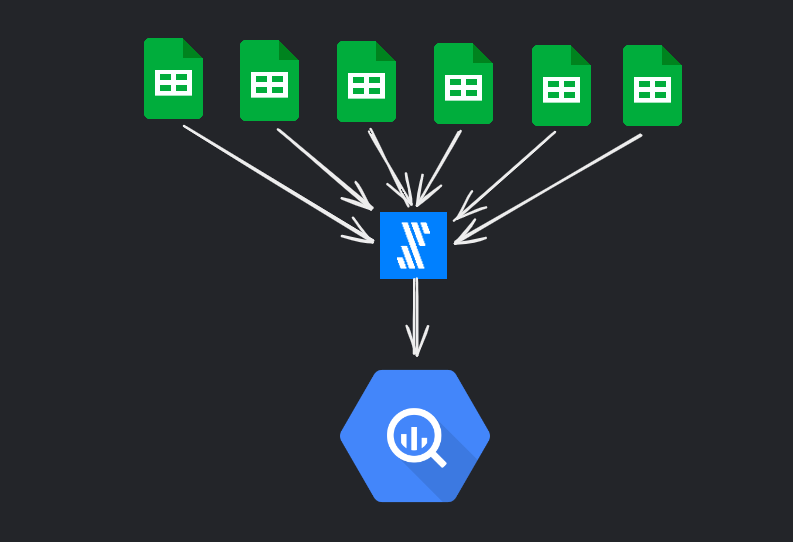
This approach can work but its riddled with issues. Here are just a few:
There’s no way to prevent the wrong data type being added to a field. Let’s say I have a sheet which lists marketing expenses. I’d expect one of the fields to hold numbers. Sometimes the person filling in the sheet would add a $ sign along with her value. The underlying data pipeline is expecting numbers only in that field so when it sees a non-number value it breaks the pipeline and the dashboards don’t get fresh data. This issue would occur at least twice a quarter leaving everyone frustrated.
No backups, central governance, or strict privacy controls.
No easy way to maintain data freshness. Employees aren’t notified when they forget to update the sheets.
The solution: Self-hosted Nocodb
After almost a decade dealing with this problem I believe I’ve got the best solution yet and I’ve started rolling it out to my last remaining consulting client.
The solution involves using Nocodb, a self-hosted Airtable-like interface that sits on top of a postgres database.
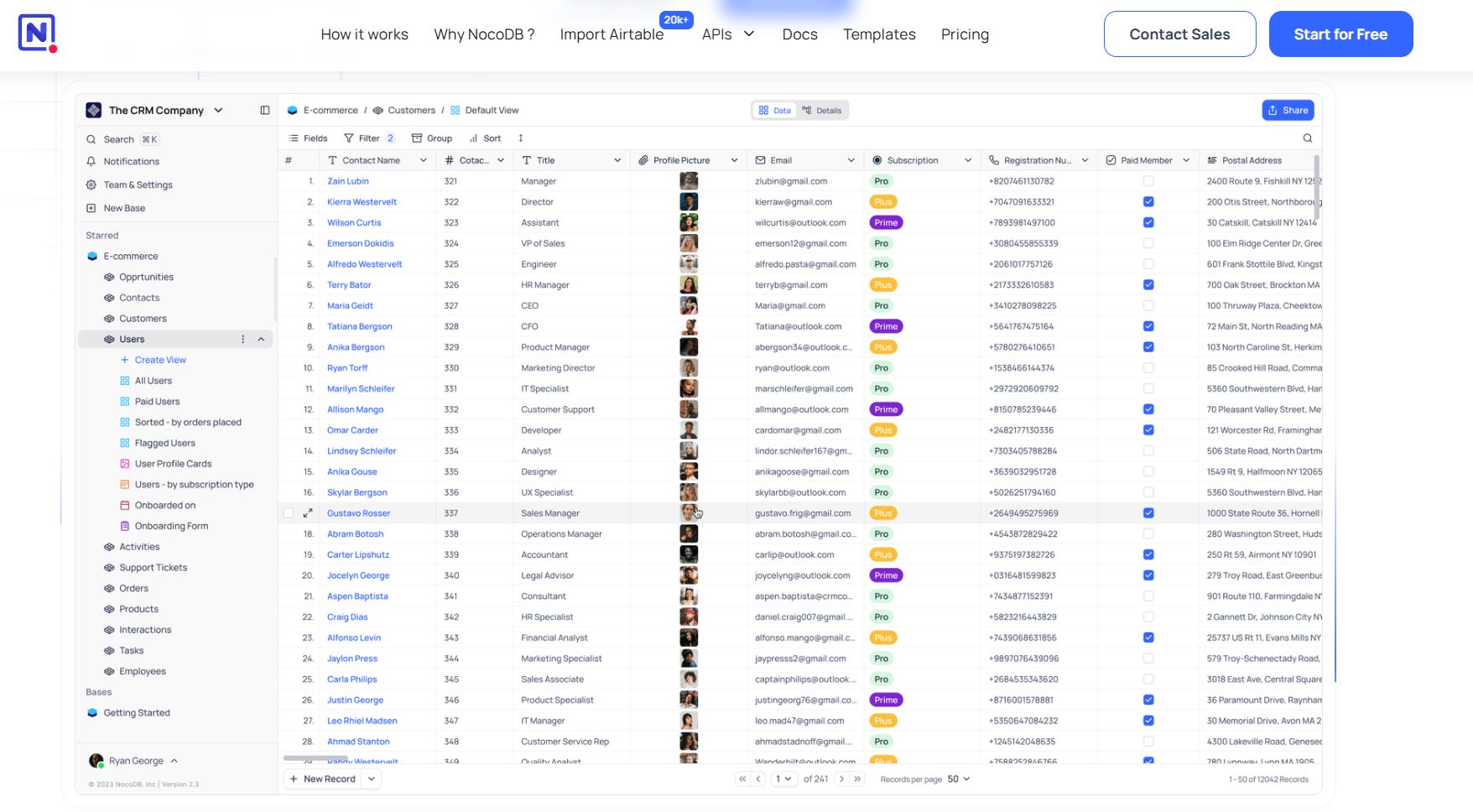
Nocodb would be hosted on a standard web server (I’m a fan of Render) and connected to a postgresdb instance (ideally on the same host as the web server).
Then I would recommend setting up a subdomain and pointing the server to that address. So for example, data.yourcompany.com. This way it’s easy for employees to remember instead of having to bookmark a custom url from your webhost.
The setup looks like this when it’s done.
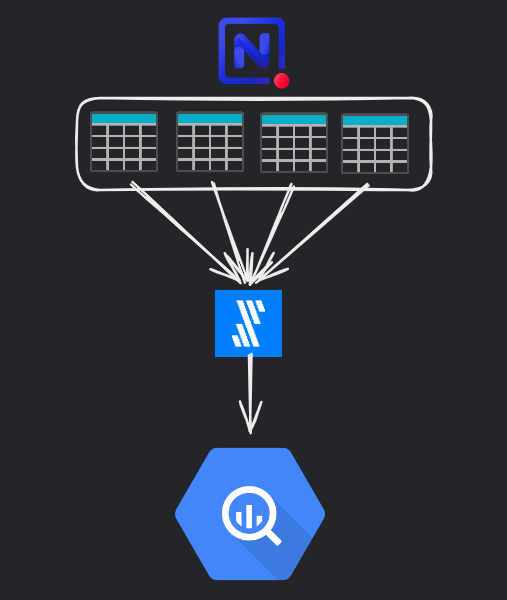
In Nocodb you create each of the data sets (tables), and then connect the underlying postgresdb to Fivetran which pipes the data into the warehouse.
Since we are dealing with relatively small datasets, Fivetran’s free plan (500k rows a month) should be sufficient.
The real magic of Nocodb, its interface
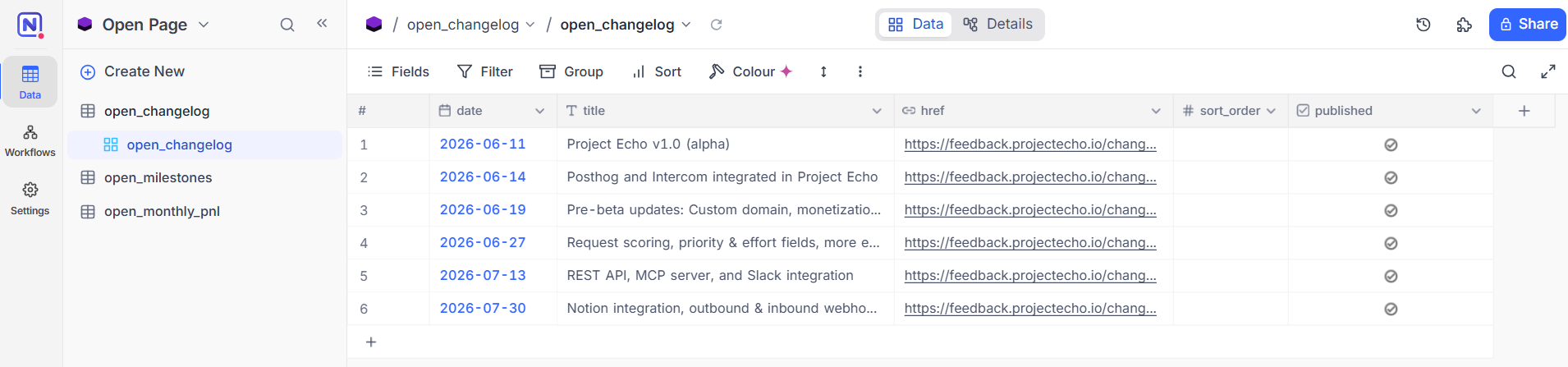
What makes Nocodb so much better than Google sheets for managing data is the fact that it’s built specifically for this purpose.
When you set up a table in Nocodb, you set the specific field types. You have 37 field types from your standard single line text, date and number, to JSON, checkbox, barcode, phone number, url and even color.
Behind the scenes Nocodb is communicating in real-time with the underlying postgresdb making sure that whichever data it receives is handled correctly.
This solves the first major issue I previously mentioned with using Google sheets, receiving incorrect data which inevitably breaks the pipeline.
With Nocodb, you can’t add data that doesn’t fit the specific column type.
Nocodb also allows you to control who has access to which tables and what each user can do with that table (view only vs. editor permissions). This is important for compliance and data protection.
API, MCP server, and workflows
Nocodb has a very easy to use API and MCP server which makes it easy to connect your instance to 3rd party tools like n8n, or even to agentic agents like Viktor, Claude, or Cursor.
This is important since it gives you easy ways to set up data freshness automations and messaging to help maintain the data sets.
Nocodb has other powerful features such as workflows, different table views, table operations and much more that I have yet to explore.
Another interesting use case: Update your website without needing code changes
I recently started using Nocodb for managing content on Project Echo’s Open page.

On the page there are three areas which need to be maintained manually, the changelog, milestones and P&L section.
Before using Nocodb, I’d need to open cursor and write a prompt so it would update the code. These three areas were hard coded.
Now that I have Nocodb set up and plugged into the site, I can log into my instance, add or update a row in the corresponding table and the site updates automatically. It’s kind of like using WordPress or Ghost to maintain a site but a more custom approach.
In summary
If your head of data is pulling out his hair because internal datasets are all over the place, breaking pipelines, and not being maintained, forward him this post.
I’ve shared how using Nocodb on a cheap web server and postgresdb can eliminate all the major issues he is facing with the outdated “Google sheet method”.
Nocodb does have it’s own hosted solution but it’s quite limited and expensive to upgrade and support multiple users (it chargers per license). From what I can tell the hosted version gives you 80% of what you need at zero cost (other than hosting).
Does the Nocodb approach solve your manual dataset management problems? Let me know in a comment below. I’d love to write a follow up post in a few months with some case studies.
That’s it for this week, see you next time.
Justin