

👋 Hi there, I’m Justin. Welcome to another edition of SaaS Decoded. Each week, I publish an in-depth, actionable guide to help SaaS founders and operators grow their businesses.
Hey friends,
Last week I published a beginners guide to AI for non-developers.

To continue the theme I decided to go down the agentic agent rabbit hole, specifically when it comes to leveraging an agent directly in Slack.
In this week’s edition of SaaS Decoded, I’m going to show you how to add a virtual AI coworking to your Slack workspace in just a few minutes.
I’m then going to share with you 12 practical ways to leverage that virtual coworker to get real value for your business.
Before we jump in, a quick update on SaaS Decoded.
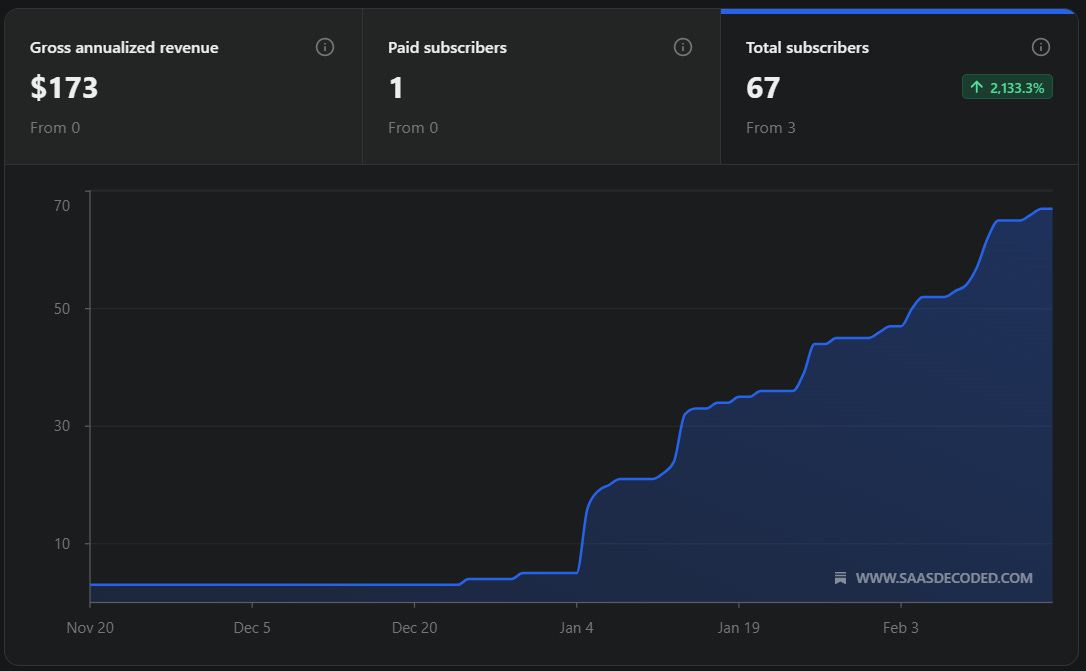
As you can see from the graph above SaaS Decoded is growing from strength to strength and I just wanted to thank you for subscribing and supporting the newsletter.
A special thanks to Luke, the newsletter’s first paying subscriber.
If you have a friend or colleague who you know would benefit from the newsletter, send them the link —> saasdecoded.com, or hit the share button below.
What’s the best agentic agent for Slack?
The number of high quality services that allow you to set up agentic agents (bots that can take action on your behalf) is growing every week.
I was looking for a “plug-and-play” service that allowed me to communicate to a smart agent directly in Slack.
I want that agent to be able to perform tasks across a number of services, complete recurring tasks, and if possible, be proactive in a practical way.
During my research I came across 4 services which seemed to met my requirements.
*I’m in no way associated with the services listed above. They just stood out to me among the companies I researched for this post.
**Edit on 16th Mar 26: A few weeks after publishing this post I decided to join Viktor’s affiliate program after being impressed with the product. If you click on any links in this post that direct you to Viktor’s homepage and sign up, you’ll become an affiliate of mine. I’ll earn a small slice of the money you spend with Viktor over your first 12 months as a subscriber.
Runbear

The first service I looked at was Runbear, a California-based AI company that boasts over 300k users.
What caught my eye about Runbear is that they are focused on two main areas, adding an agent to Slack, and adding an agent to your Gmail inbox.
I like companies which are focused and since I was specifically interested in a Slack-based agentic agent Runbear seemed to be a great fit.
Signing up to Runbear and adding the agent to Slack went relatively smoothly.
Runbear has a free 7-day trial and allows signup via Google oauth which I use whenever I can.
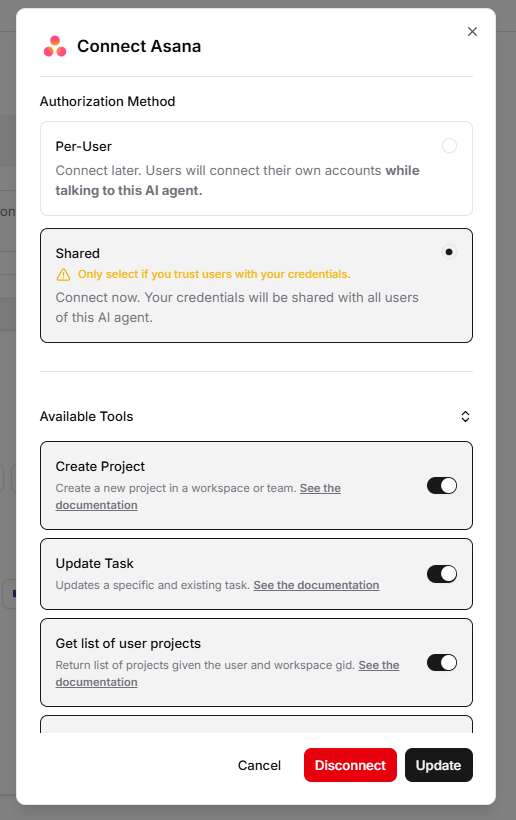
After signing up I was able to connect Asana (to-do list and project management tool) and Slite (internal knowledgebase) to Runbear which meant my Slack bot could now perform certain actions in these services, for example, creating a task.
The next step in the process was to add the Slack bot to relevant channels.
This can be done by visiting the settings of the channel, and then in the integrations tab you add the bot.
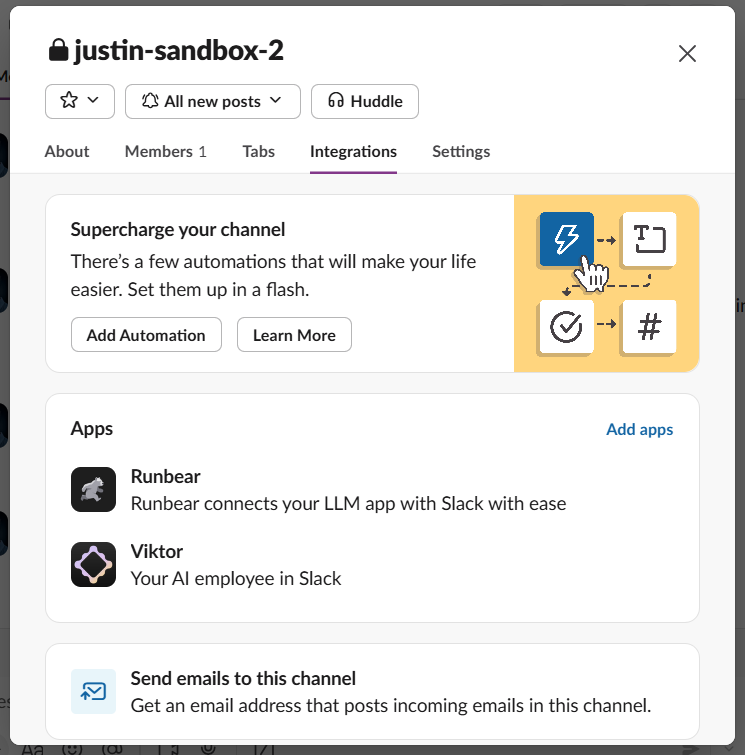
For both Runbear and Viktor, which I’ll cover shortly, I only used the agents in my sandbox channel.
I didn’t feel comfortable using them in Slack Connect channels with external contacts, but I feel that will change after spending more time with these tools.
Once added to my sandbox channel, I was ready to tag the agent in a message and send it requests.

The agent is smart enough to ask questions to help guide it.
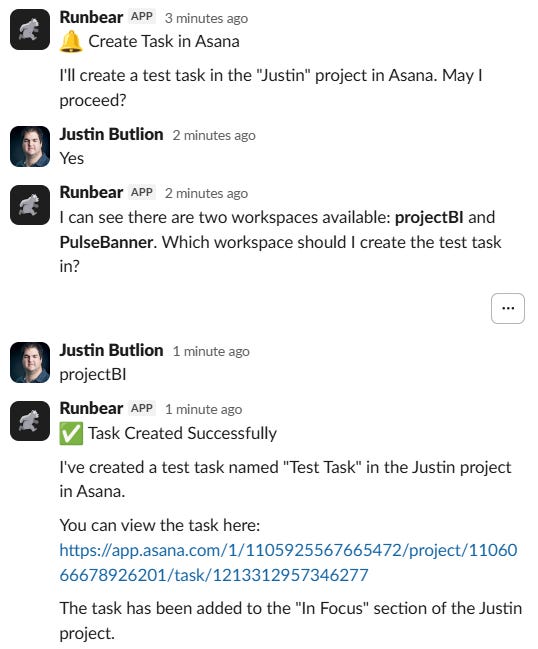
This was a great start and overall I was impressed with Runbear the more I used it.
The company does a great job of providing many customization options, enhancements, and scalable functionality in an easy-to-navigate UI.
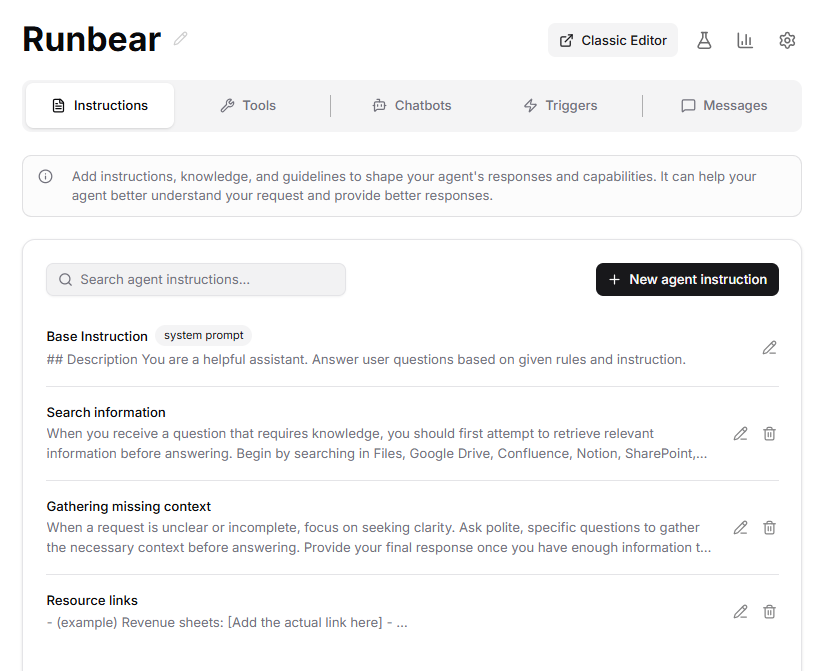
Runbear provides sections for providing clear instructions, context, rules, triggers, and hundreds of possible integrations.
This is great for non-developers who want to leverage AI but have no interest in building their own.
The triggers section is especially powerful because it allows you to set up clear use cases for triggering action by the agent.
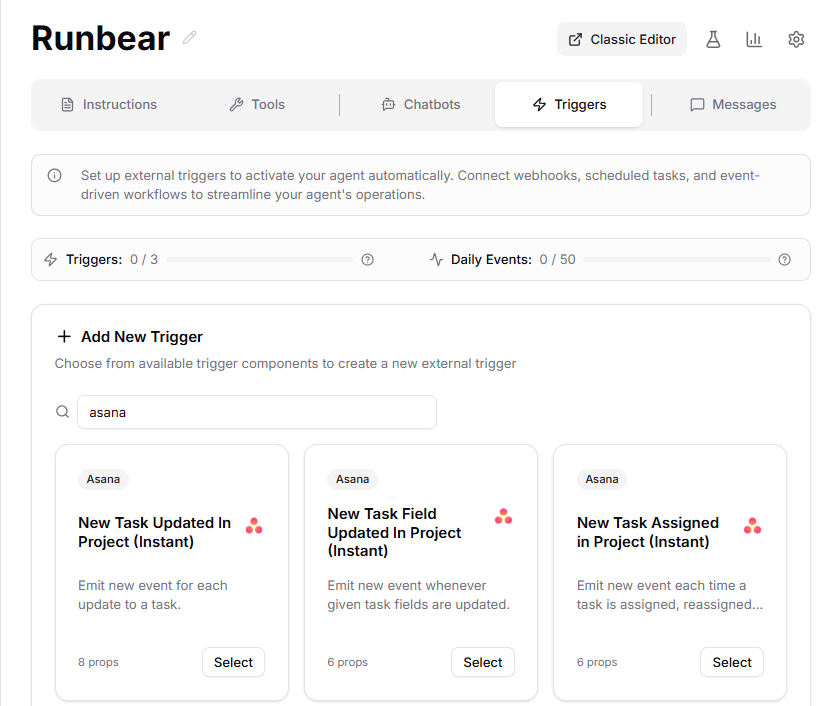
This trigger-action logic makes the agent operate similarly to workflows you’d build in Zapier or n8n.
If you’re like me and want Slack to be the central hub for communication, alerts and updates, then this functionality is a game changer.
Overall Runbear is an awesome service and I’m excited to play with it more but I do need to mention some negatives I experienced while playing with the service.
Runbear allows you to connect custom MCP servers which is great but it kept on failing when I tried connecting Slite’s MCP server. I didn’t have this problem when using Viktor which has similar functionality.
Lack of granular controls. Runbear doesn’t give you the ability to force the bot to ask permission before performing certain actions. I’m able to turn off certain abilities which is useful but I’d like to have more control.
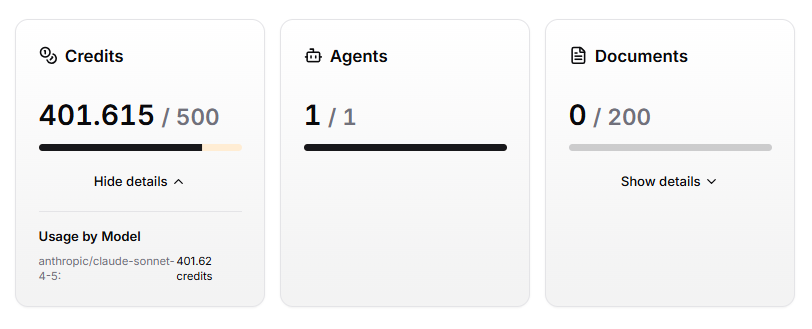
Lack of usage reporting. I performed just a handful of tasks during my trial of Runbear and used up 4/5ths of the credits allocated to me. The worst part is I had no idea which tasks used how many credits. This makes it tough to estimate the monthly costs for using Runbear.
Viktor
Viktor is a very new service that recently announced their public launch on X and went quite viral. This caught my eye and I decided to give them a try.
Viktor stands out to me among the services I’m covering in this post since it’s by far is the most “Slack first”.

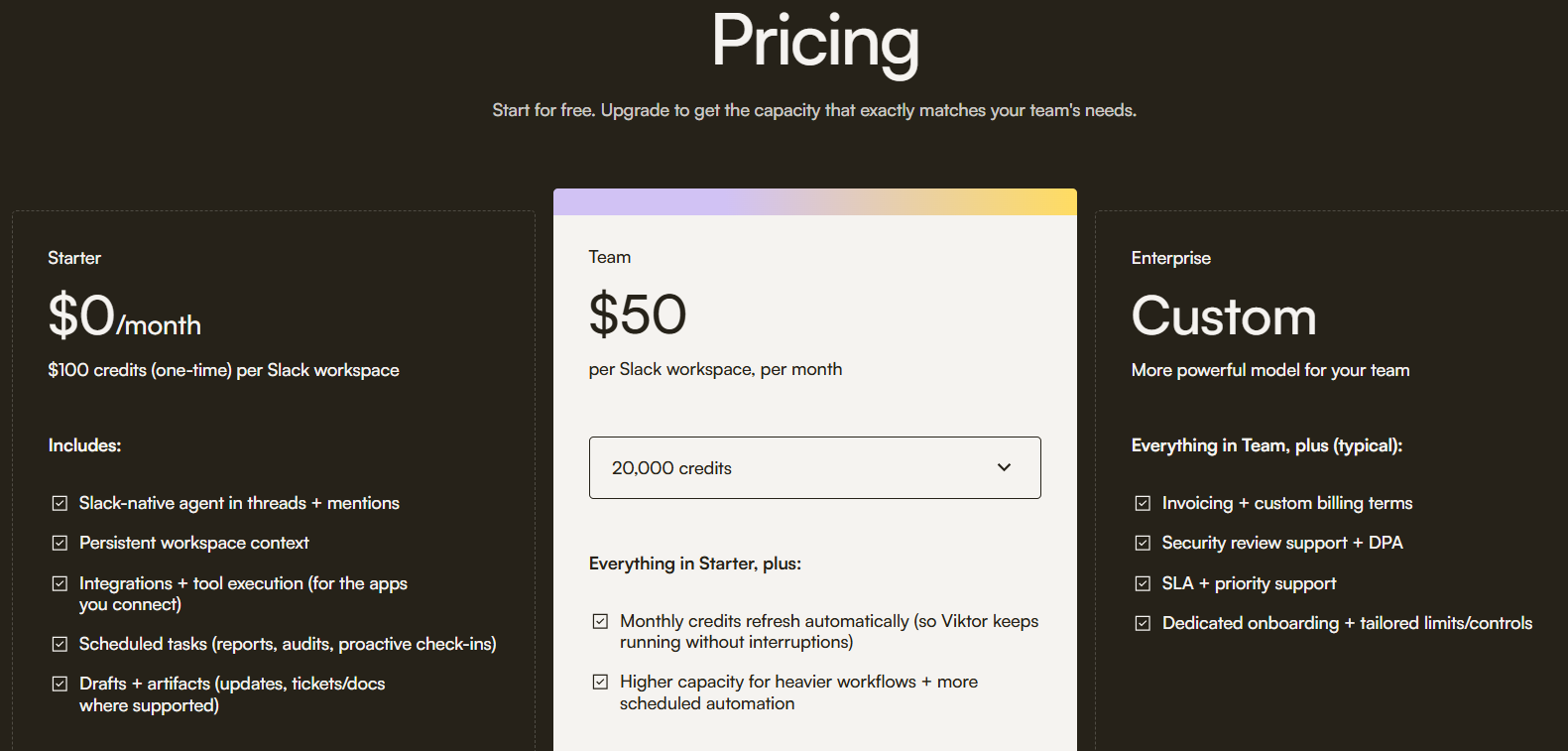
Viktor initially launched with a free and a $5,000 a month plan which was a bit of a turn off since the free plan seemed quite limited, and I could never afford the 5k a month plan.
I was glad to see that they changed that and now offer usage based pricing.
Signing up to the service is even more straightforward compared to Runbear and after connecting Viktor to my Slack and connecting one integration (I chose Asana) I was ready to start talking with “Viktor”, my new virtual employee.

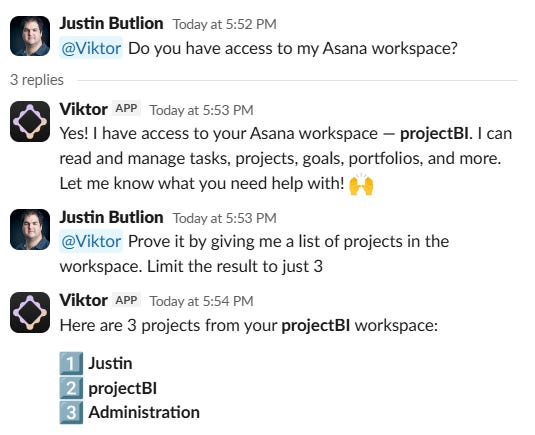
After less than an hour playing with Viktor I could already see that the service was far more refined than Runbear, and a hell of a lot more proactive.
Check out this message I got from Viktor 6 minutes after adding it to my Slack.
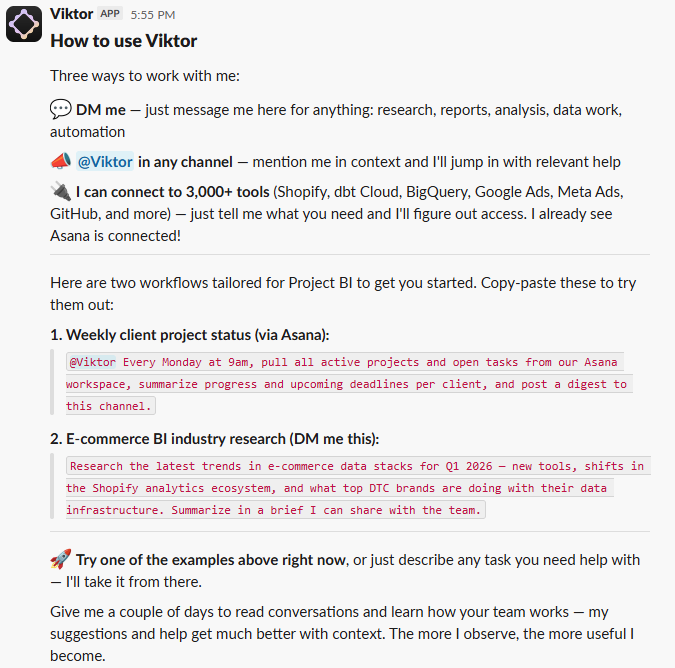
Not only does the message clearly tell me how to use Viktor but it provided a clear use case for a recurring task with Asana (which I connected during the onboarding).
What really impressed me is the second suggestion, E-commerce BI industry research. Clearly there was a behind the scenes prompt where the AI did some research on my agent, projectBI, and worked out that the agency works with eCom businesses and provides BI services.
When it comes to a product like Viktor, the small details really matter. Look at the example below where I asked Viktor to return me data from HubSpot.
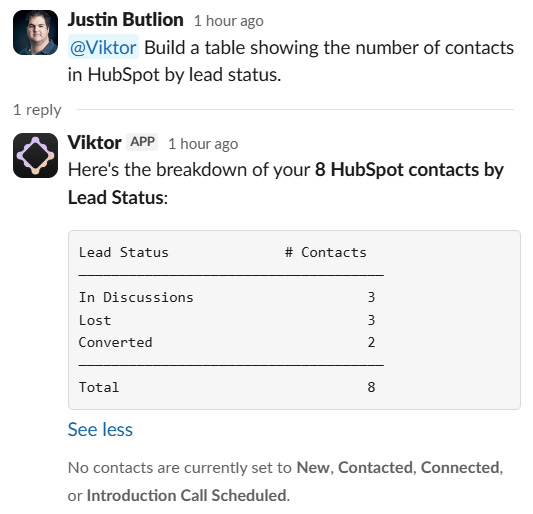
Notice how at the bottom Viktor mentioned that there are “no contacts currently set to New, Contacted, Connected, or Introduction Call Scheduled”. It didn’t need to include that but it did.
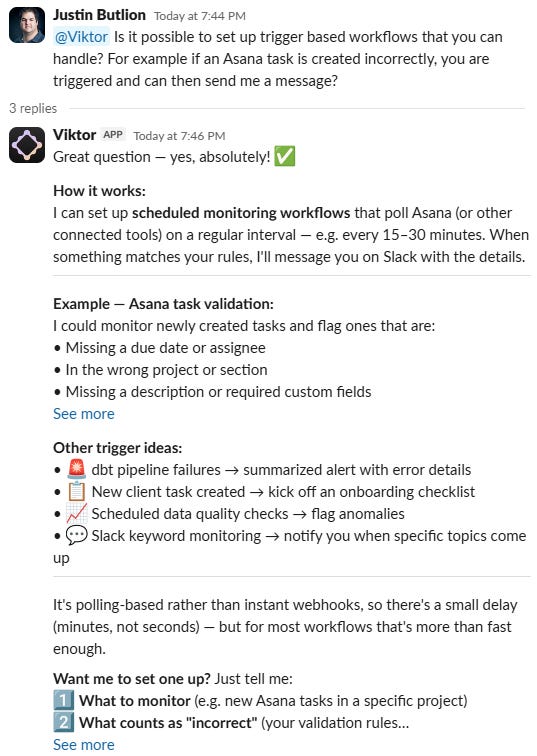
Similar to Runbear, Viktor supports recurring tasks but I didn’t see anything related to trigger-based workflows which is definitely a gap.
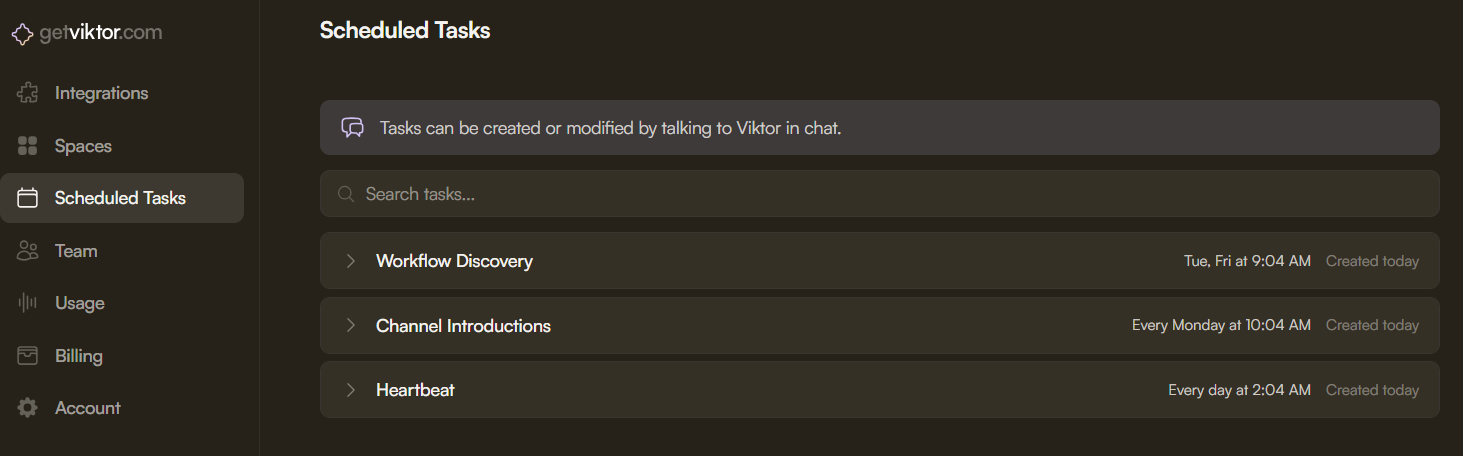
I asked Viktor about this and got a great answer back.
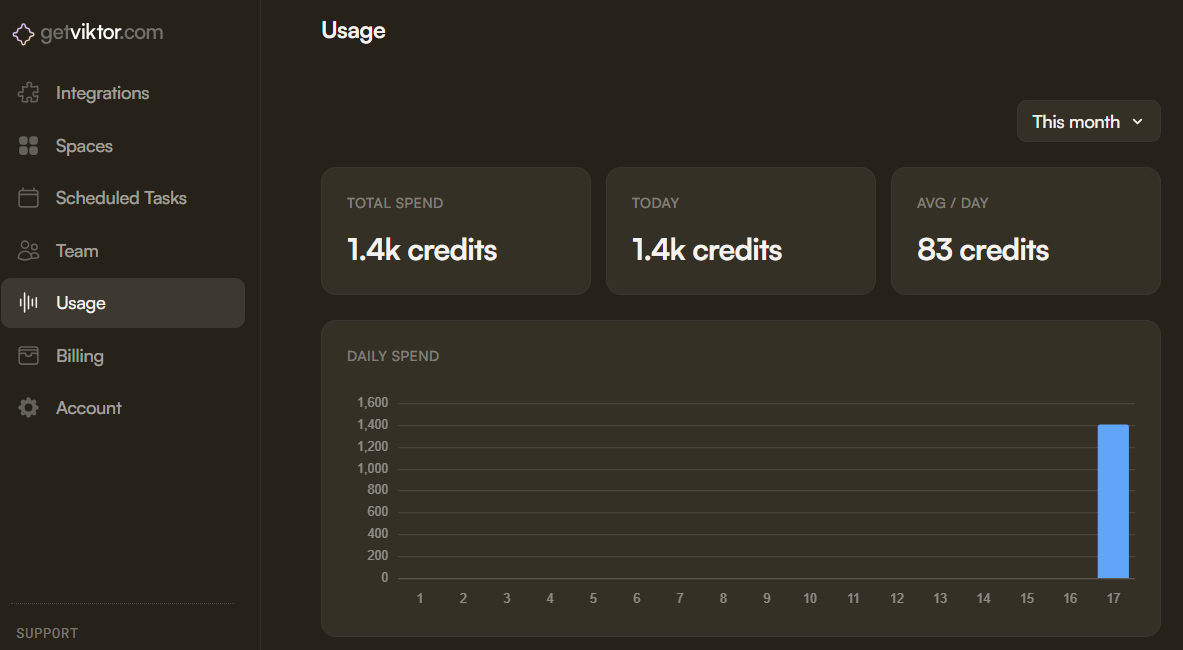
Viktor does have usage reporting but its quite simplistic at this stage.
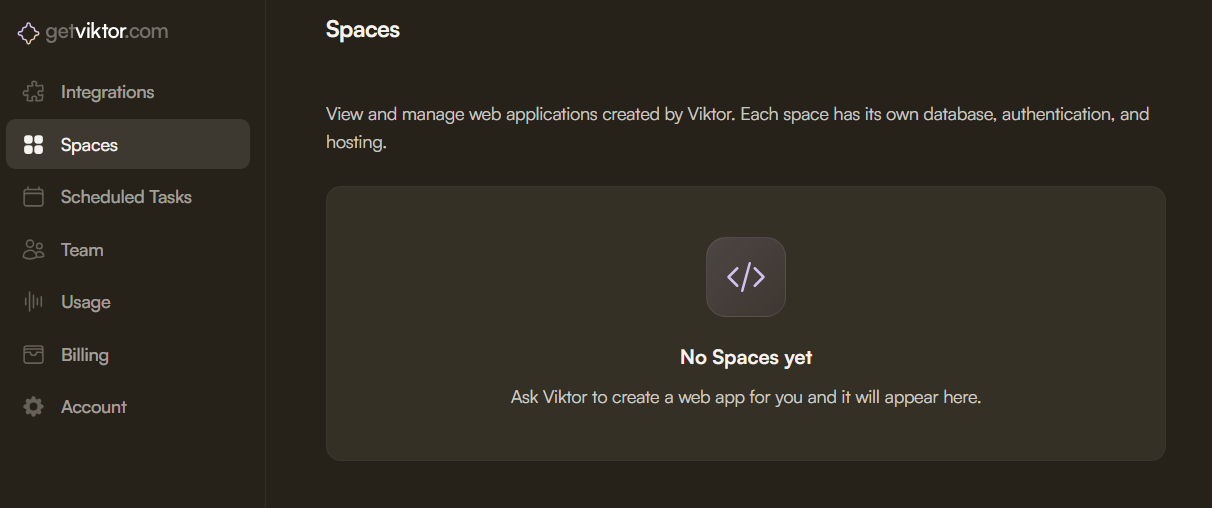
Apparently Viktor can even create web applications on your behalf. My initial response to this feature is that it’s overkill but perhaps once I see some clear use cases I’ll change my mind.
Viktor provides granular controls for each of the integrations you connect to it which is so important.
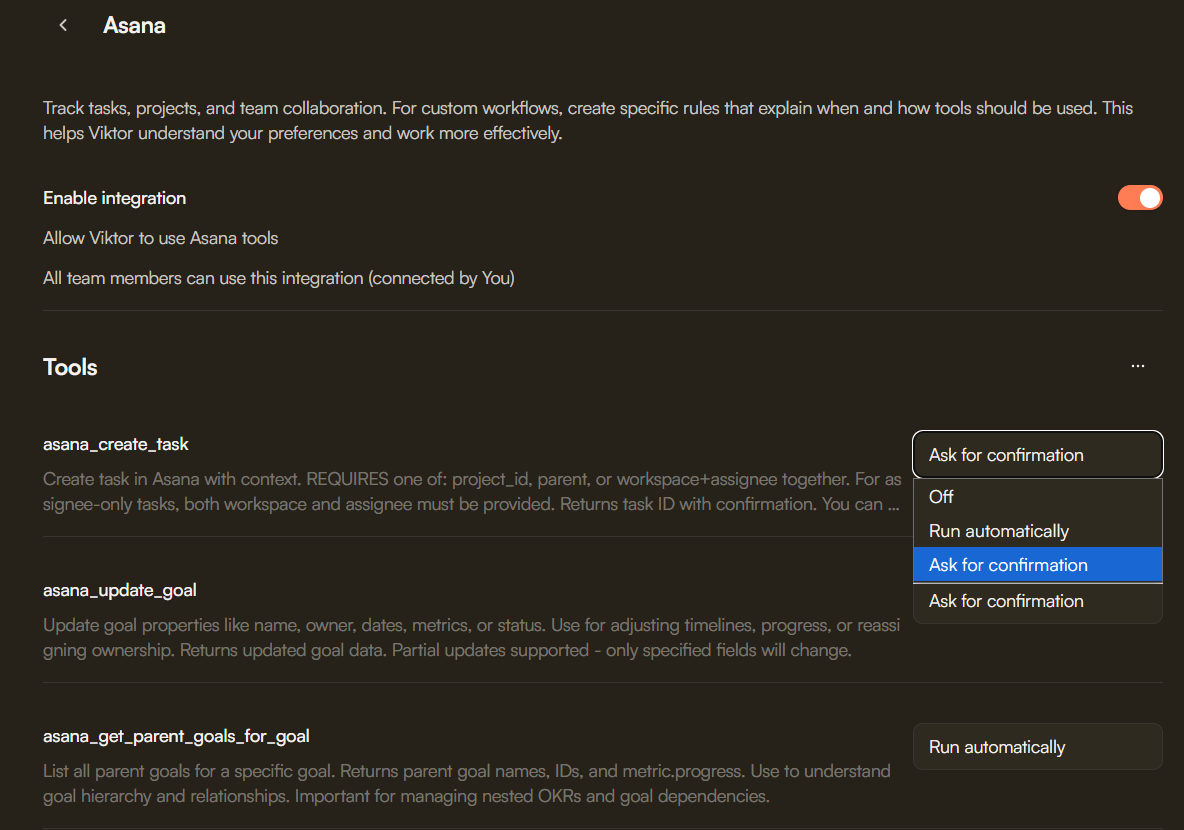
Since I’m new to AI I’m very worried about using agents that can cause damage so granular controls like this are crucial for building trust.
Overall I was very impressed with Viktor and at least for now it’s my top choice for agentic agent for Slack.
A quick word on Lindy and Arahi AI

Both Lindy and Arahi AI look like impressive services, especially Lindy which I first heard about over a year ago.
Both Lindy and Arahi are more general agentic agent workflow builders. Both services can work with Slack and you could use them to set up specific workflows that can be triggered directly in Slack.
Since they aren’t “Slack first”, I decided to skip the deep dive since Runbear and Viktor are “plug-in-play” and meet all my requirements.
I can see myself giving Lindy more of a deep dive since I may want to start running certain automations which have nothing to do with Slack.
For now I’m focusing on trying to improve my day-to-day by using AI and since so much of that takes place in Slack, that’s where I’m focusing my attention.
12 practical ways SaaS businesses can utilize an agentic agent in Slack
Below are 12 practical ways I would use an agentic agent in Slack if I was running a B2B SaaS company.
Which use case below is your favorite? Let me know in a comment below.
Send a daily summary covering the number of your sales funnel (new leads, MQLs, SQLs, opps, deals, new ACV, etc)
Share a list of leads which haven’t been contacted in X days. This list could be shared daily with the VP of Sales who can then follow up with the owners of those leads.
Share closed won deals in Slack so everyone can celebrate the win and praise the closer.
Create weekly reminders both in Slack and in Asana / Monday / Clickup for specific employees that have their own recurring weekly tasks.
Look up high risk accounts in HubSpot / SalesForce and share a list every Monday morning with the retention team on Slack. Create tasks for each high-risk account in Asana / Monday / Clickup.
Share a project progress report once a week until the project is completed. Good for long-term projects which are organized in a proper project management solution such as Asana.
Update the VP of client success when a support ticket goes unanswered for more than 3 days. Share the ticket in a specific channel on Slack.
Share a summary of SalesForce marketing campaigns 30 days after launch in Slack.
Help an employee share a specific SOP to another directly in Slack.
Every Wednesday share a digest in the #general channel of the most important news stories in the business’s niche for that week.
Monitor new opportunities created in HubSpot and share opportunities with the VP of Sales which are missing key data (the sales rep didn’t follow instructions and something is missing).
Send a message to the #vp-success-alerts channel when an enterprise client has opened a support ticket, look up the owner of the account in HubSpot and ping them in the message.
For more use cases, visit https://runbear.io/use-cases.
That’s it for this week friends.
If you enjoyed this post, please consider hitting the share button below.
Thanks for reading and enjoy the rest of your week.
Justin