

Hey friends,
Welcome to part 3 of my $0 to $10k MRR series.
If you are new to SaaS Decoded, or haven’t yet heard of the $0 to $10k MRR series, you can find the first two parts listed below.
![[Part 1] $0 to $10k MRR: Idea, Foundation, and MVP](https://substackcdn.com/image/fetch/$s_!us6c!,w_140,h_140,c_fill,f_webp,q_auto:good,fl_progressive:steep,g_auto/https%3A%2F%2Fsubstack-post-media.s3.amazonaws.com%2Fpublic%2Fimages%2F68c42968-31b0-4cfd-903d-e52507cb26f2_1258x678.png)
![[Part 2] $0 to $10k MRR: The reset,checklist, and waitlist](https://substackcdn.com/image/fetch/$s_!JD81!,w_140,h_140,c_fill,f_webp,q_auto:good,fl_progressive:steep,g_auto/https%3A%2F%2Fsubstack-post-media.s3.amazonaws.com%2Fpublic%2Fimages%2F7a21626b-738f-4900-aba6-adc9f6af3984_983x639.png)
I’ve spent the majority of my working hours the last 2 weeks vibe-coding Project Echo and I’ve had a blast!
I’ve been blown away at how much progress I’ve made on the product, and at my current pace I expect the product to be ready for the beta launch by the beginning of next month.
At this stage I’ve built roughly 90% of the service as I envisioned it on day 1. I’ve already built the most complex features (custom domain support, and integration with users’ own SaaS). Last night I finished another big piece, monetization.
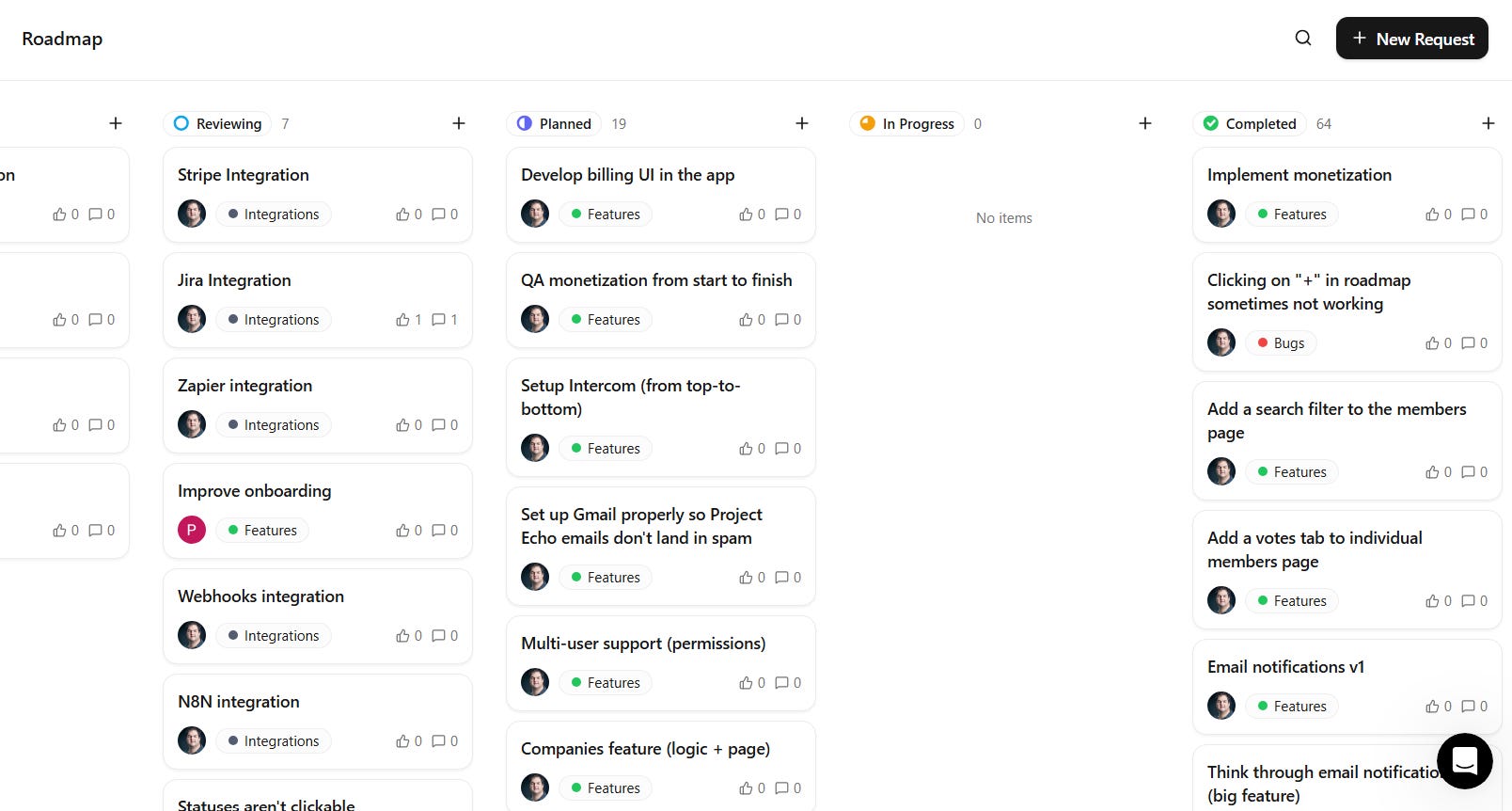
For a deeper look, you are welcome to check out the Project Echo changelog.

The Alpha Launch
In the 2nd week of June I did an informal alpha launch where I started to invite individuals from the waitlist to sign up to the service.
The goal of the “Alpha Launch” is to only add a small number of users to the product to gain some initial feedback, namely on the onboarding flow and core functionality.
At the time of writing this post, a total of 6 individuals have signed up to the alpha version of Project Echo. The feedback has been mixed which is to be expected.
I also had the opportunity recently to give a 30+ minute demo of the product to a close friend of mine. This was helpful to understand how a fresh pair of eyes experiences the product.
Since the platform has matured a lot since the alpha launch, I will be shifting gears to marketing so I can increase the number of users signing up to the service. Ideally I have 25 - 50 users signed up before I open the app to the public.
If you want to be part of the alpha launch, you are invited to sign up to Project Echo here.
The importance of “dogfooding” your product
I’m very fortunate that Project Echo is an app in the product management niche. Being an app for builders makes it easy and very organic to use the product to build the product.
I’m able to “dogfood” Project Echo daily which allows me to easily find bugs and experience the product as a user would.
I’m able to identify points of friction and make micro adjustments which over time make a big difference.
Speed, ease of use, and clear navigation are critical for success in this space.
This process has helped me understand the importance of consistent improvements and a heavy focus on UX.
To be completely honest, there isn’t anything special under hood, but what will make the product stand out is the hundreds of small improvements that I’ll be making over time.
If you’re considering building a SaaS, do your best to choose a niche you know well so you can “dogfood” your own product while you build it. It not only makes the whole experience a lot more enjoyable, but it lowers your risk of failure.
Monetizing Project Echo: A $29 Pro Plan
Part of the work I’ve done this week on Project Echo was to finalize pricing.
I knew I wanted to monetize early since I’m bootstrapping Project Echo and the sooner I can generate some revenue the better.
I covered my high level strategy for getting to $10k MRR in part 2 of this series but I’ve made some minor adjustments to that strategy.
Firstly I did deeper research on my competitors pricing and packaging.
Below are two breakdowns, the first is pricing, and second is what my competitors offer for free compared to what I plan to offer for free.
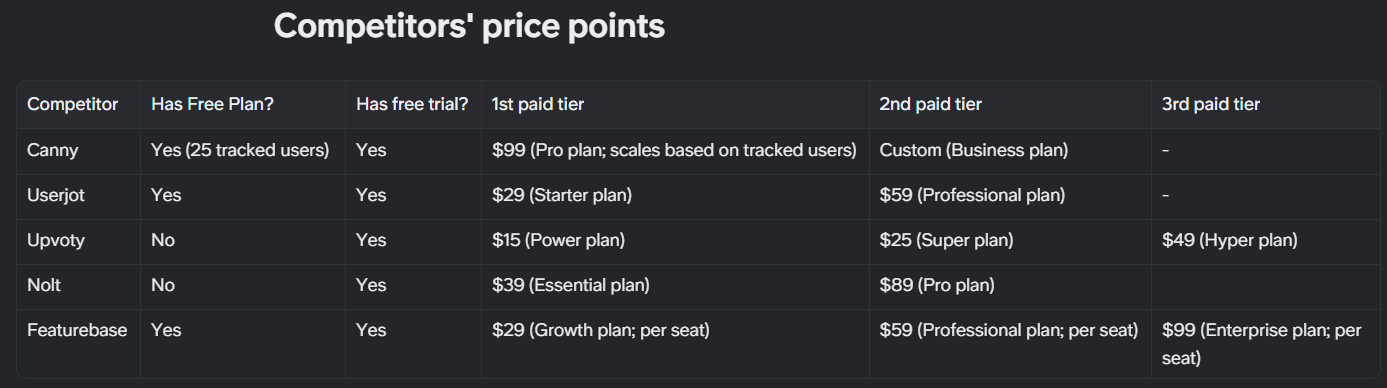
The way my competitors price their SaaS is quite mixed with some offering a free plan while others don’t. Some have 3 paid plans while others have just two.
As you can see from the table above, most offer their first paid tier for between $15 and $99, with the majority landing in the $29 to $39 range. Upvoty has the cheapest plan at $15 a month but it comes with a lot of limitations.
I want to keep things as simple as possible so I’ve decided to go with just 2 plans, a free plan, which provides the best value on the market, and a paid plan called Pro.
I originally wanted to price my paid plan at $25 but since I’m offering so much value in the free plan, pricing the pro plan at $29 makes more sense. The $4 difference won’t be a factor for those that want what the pro plan offers.
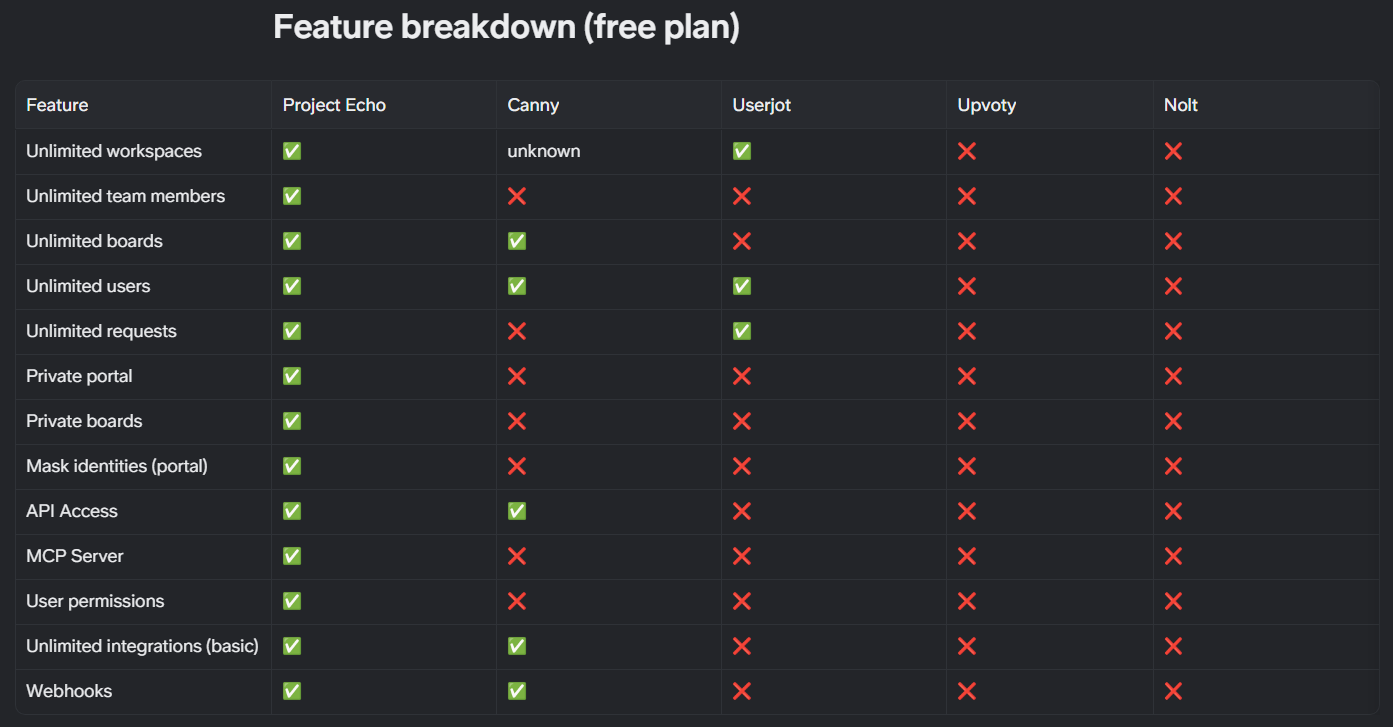
Since I’m against usage-based and seat-based pricing (which is used by Canny and Featurebase), I will need to go with a standard freemium/feature-gated pricing model. The table above shows what I plan to offer in my free plan compared to what my competitors offer.
When it comes to my Pro plan, subscribers will get the features listed below plus some others I have in mind for further down the road.
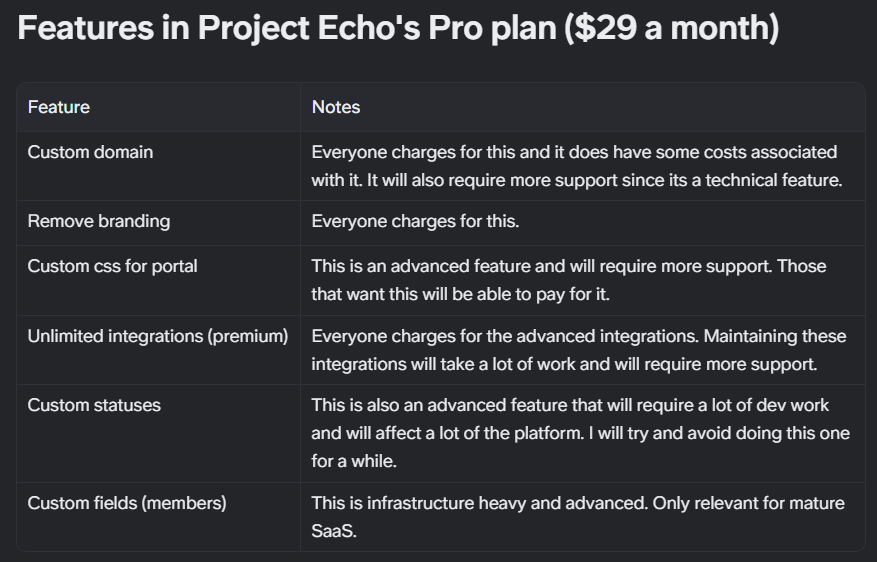
The only piece I’m still not sure about is integrations.
My competitors all have limits on integrations so it kind of makes sense to do the same thing. I’m leaning towards allowing free users to set up as many integrations as they wish among the basic integrations. Some integrations will be “premium” and only available to paying users.
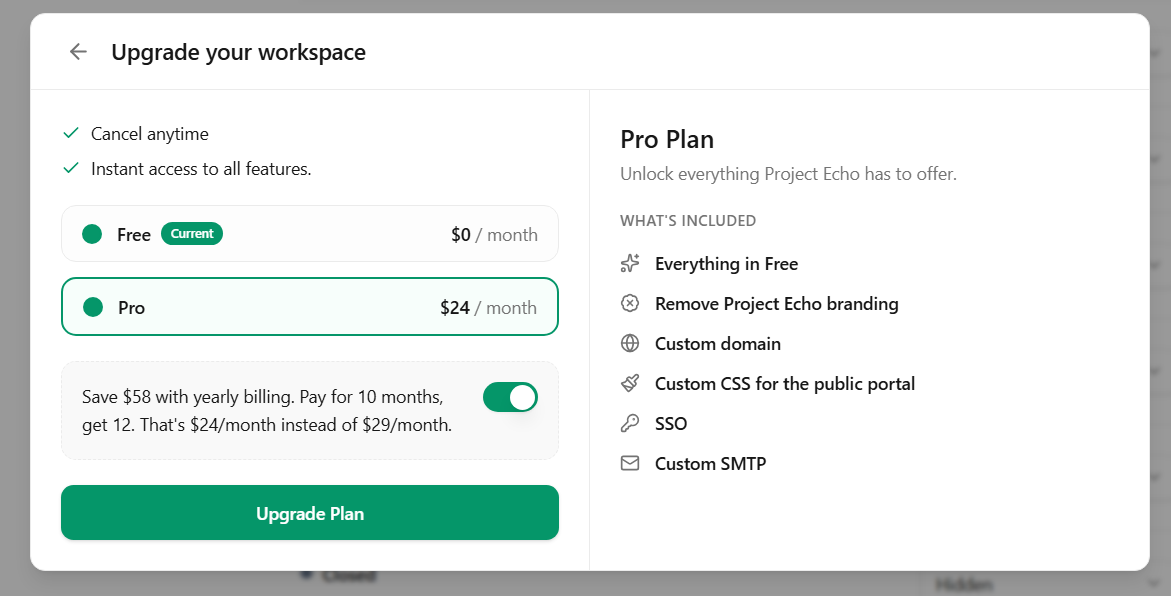
I’m really happy to have finalized the monetization strategy and implemented it in the product. I still have to “gate” certain features and develop others but the foundation is there and technically users can become subscribers today.
Early considerations when setting up ops
Even though it’s really early days for Project Echo, I wanted to integrate two key tools to help me on the operations side of things.
The first tool is Posthog, a product analytics platform that I’ve actually never used before. In the past I’ve always leaned towards Segment for event tracking, Mixpanel for reporting, and Hotjar for in-app sessions and heatmaps. Posthog covers all these bases and more.
It was also a great opportunity to finally try out the platform which I’ve heard a lot of good things about. So far I’m really impressed. It took just a few minutes to integrate within Project Echo and events are flowing.
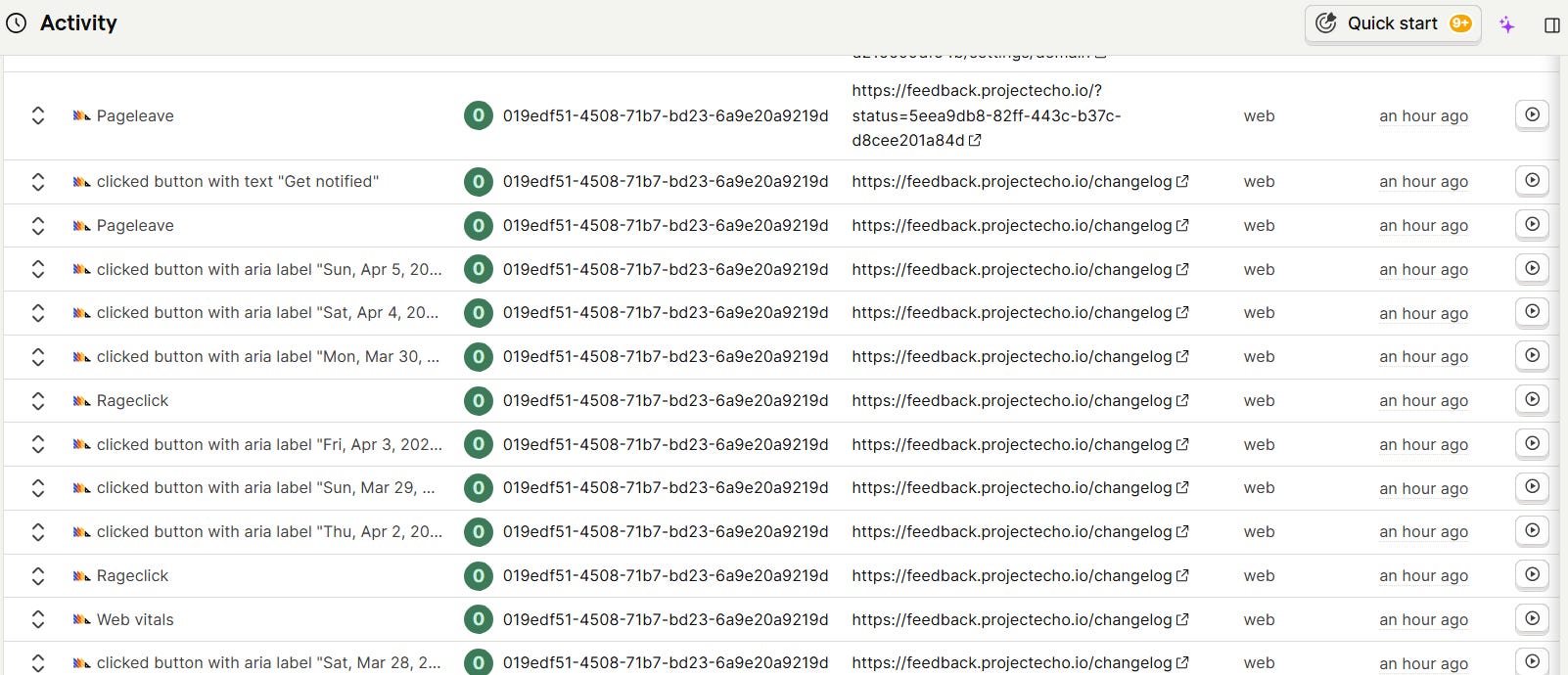
I still have a lot of work setting up core events in Posthog but the infrastructure is now in place. Posthog will be a critical piece of my data collection efforts, and help tremendously as I work towards product-market fit. I’m no longer flying blind.
The second tool that I wanted to integrate early is Intercom. I have a lot of experience working with Intercom and its a great platform for providing support, and communicating with users.
What’s really awesome is that you can set up Intercom as a destination in Posthog and send your events to the platform in real-time.
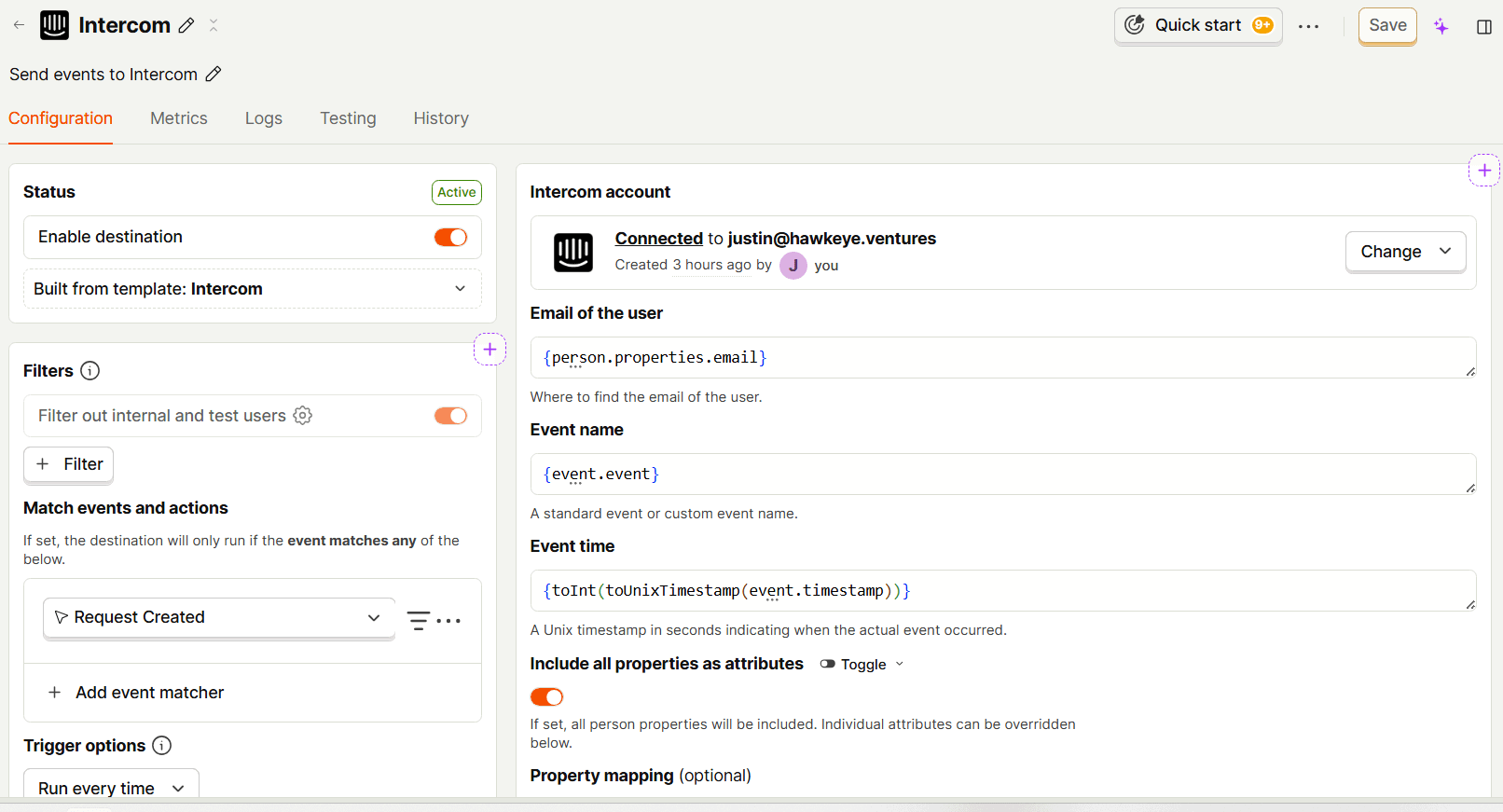
Those events can be used to trigger messages and other interactions in Intercom which will help me do more with the platform.
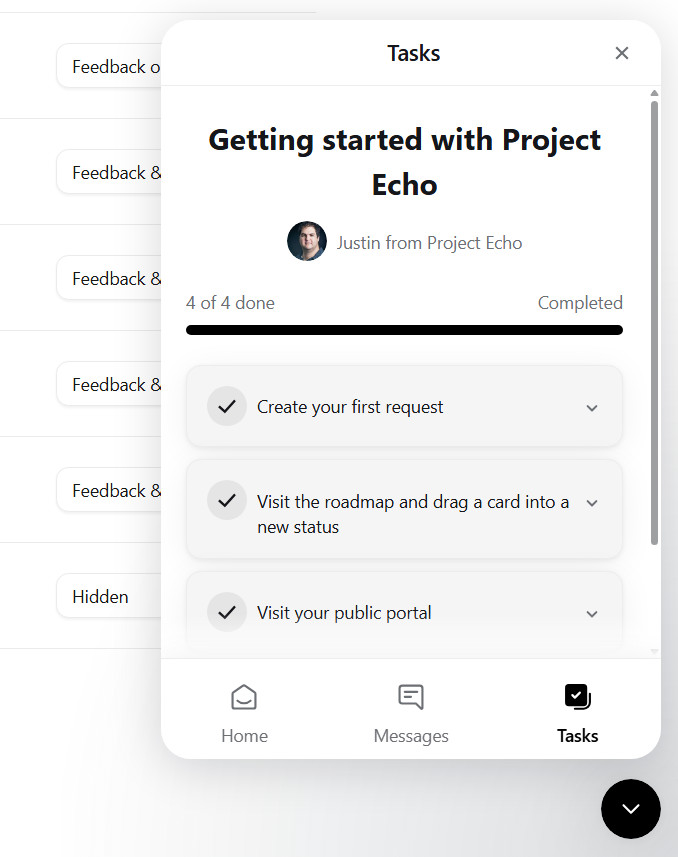
I’ve already started to experiment with the different message types in Intercom to help my users better understand how to use Project Echo.
Intercom’s messenger widget appears on every page within Project Echo, making it easy for users to send me questions, get help, or just share feedback.
I’ll be using Intercom for my email onboarding flow, and in-app messaging, as well as for all support-related communicating and ticket management.
That’s it for this week friends, thanks for reading and I’ll see you in the next one.
Justin
PS: If you know any SaaS founders, forward them this email, they just might need a feedback management solution like Project Echo.